POOF
Wish 1: Delete your self (the genie deletes your sense of self)
Would the genie get stuck in an endless loop, trying to find the owner of the three wishes for wish 2?
Fortunately the wisher is indistinguishable from a behavioral perspective of a P-Zombie, so they can still make wishes
Windows moment
Not necessarily. Linux can have files that are r—r—r— too
sudo chown -R 1000:1000 /* && sudo chmod -R 777 /*I use:
alias thisfolderismine='sudo chown -R $USER'
alias thisfileismine='sudo chown $USER'
Then you sudo chmod. Windows I have to do weird shit with the properties context menu. And even that sometimes doesn’t work. I run commands in powershell as Administrator. Still doesn’t work.
Fuck Windows.
That’s just because Linux is designed for end users so everything is intuitive and easy. Windows is designed for tech nerds that like digging through pages to make anything work
Did you accidentally switch those? Windows is clearly for protecting end users so us tech nerds need to jump through bullshit.
As someone who has used both; Linux is infinitely easier for an idiot
If you’re on windows this means you don’t own the file. Go to properties security and take ownership.
The default windows configuration is aimed at old people who will call tech support when they fuck up their PC.
You can take ownership of pretty much the entire filesystem.
Windows is actually hugely customizable people just don’t.
Except when you want to customize it to stop it from updating against your will. Then fuck you, secret code to change your settings and settings that simply do nothing.
You should keep your software updated.
My work laptop had a pop-up from an application that basically said “we couldn’t restart last time, so you e got 15 minutes until we reboot your computer” with no way to cancel or prevent the reboot.
Me: the fuck you are
* proceeds to kill the service and process from admin command line*
Get fucked fortinet, I’ll reboot when I’m gods damned ready
One time Windows told me I needed admin privileges to edit s file. I had admin privileges.
Just because you have admin rights doesn’t mean the process you’ve invoked does. Unless you specifically elevate it or the process asks to elevate, it’ll run unprivileged.
had a friend that was having problems with his PC and windows kept bitching about he didn’t have permissions. he ripped out the harddrive with it still powered on and threw it off his balcony into the lake screaming, “I fucking own you!”
epic moment in my life to witness such an event.
Did it work after that?
No, but this time the owner knows why it doesn’t work. Big difference in IT.
ROFL
Is the power cable connected? No? Okay plug it in, then turn it off and back on again.
no but he had a second drive and installed xp on it.
vista was at the bottom of the lake.
goes to show how old the story is lol.
Is there a technical reason that Linux apps can’t/don’t just pop up an authenticator thing asking for more privileges like Windows apps can do? Why does nano just say that the file is unwriteable instead of letting me increase the privileges?
Some do. I’m sure it is possible with terminal programs. In KDE, you do get authenticator pop-ups.
With arch+xfce4 I mostly don’t. Except for when I do systemctl reload <service> in a cli without sudo and it pops a surprise elevation password request gui in my face. I haven’t figured out what makes it behave like that.
I use Arch btw 👉🧐 eats booger
Yeah, when I was on xfce on Arch I remember going into some places in the file manager where it wouldn’t let me edit files etc without running it from the terminal through sudo.
Hmm I just tried editing some systemd service with Kate and it did actually give me an authenticator popup when I tried to save it
Although then the prompt expired and now it does nothing when I try to save it. Restarted Kate and now it works again…
I haven’t tried that before
When I try to go into the sudoers.d folder tho it just says I can’t, and the same thing happens when I try to open the sudoers file in Kate. If I try to copy and paste a systemd service in dolphin tho it just says I don’t have permission and doesn’t give a prompt.
lol if I open it with nano through sudo it says ‘sudoers is meant to be read only’
Iirc there are ways to format your command to get it to do this. So whatever app you’re using just chose to format its command the simpler way.

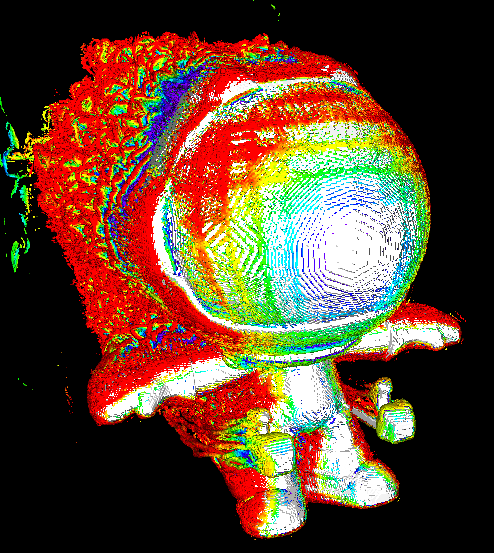
God that is great mascot. It sears itself into your brain.
This fuckin line
Childhood me: “Whats he mean by that?”
My parents: “[explains slavery]”
Me: …
Them: …
Thanks, Disney!
I still love the soundtrack.
Ah ah ah! You didn’t say the magic word!
sudo edit the file!
…
Ah ah ah! You didn’t say the secret word right after!
sudo chown…
Wrong root password, this incident will be reported
Think about this: let’s say you run a program. Do you want that program to be able to take over the computer and read all your files from now on and send the data to a remote third party?
Probably not.
Permissions were created to stop programs from doing that. By running most software without admin permissions you limit the scope of the damage the software can cause. Software you trust even less should be run with even fewer permissions than a normal user account.
The system is imperfect though. A capability-based system is better. It allows the user to control which specific features of the operating system a running program is allowed to access. For example, a program may request access to location services in order to access your GPS coordinates. You can deny this to prevent the program from tracking you without otherwise preventing the software from running.
You forgot the fact that there might be other people using the same computer and they shouldn’t be able to access the others files.
No I didn’t. Most computers on the planet (phones, tablets, laptops) have only 1 user. The whole multi-user system isn’t obviously useful for these computers.
Everyone knows that multiple user accounts need permissions to prevent users from accessing each other’s files. I didn’t bring it up because it was too obvious.
Visual representation of the first time I ever saw “owner: nobody”
deleted by creator
Wrong OS.